Tuesday, March 2, 2021

Sonic Anomaly – Vola


 Vola is a Voice Optimized Leveling Amplifier made for broadcast voice dynamics processing, it also works with different kinds of audio material, like drums, percussive instrument, and synth pads.

This fantastic tool is solely for cleaning up sound files but can be used for extreme compression effects as well.

Features

  • Real-time Visual Metering for changes in dynamics
  • Upwards & downwards compression, each separately adjustable.
  • Stats Display and more compression settings

Download Vola Vst (Windows)

Download Vola Jsfx (Windows and Mac)


JHudStudio – Vocal King


Vocal King helps glue the vocal in a mix, and it comes preloaded cool parameters, that could help in customizing the audio signal of a vocal track.

The Pres Compressor knob helps in bringing out the clarity of a vocal, so, by turning up the gain of the Pres Comp brings out the presence in the vocal along with giving it a smooth compression. On the other hand, the Low cut, Tighten, and the Bass knob compliment the Pres Comp in taking out muddy frequencies without the vocal sounding too thin.

I also love playing with the Crispy knob as it sprinkles some sparkles to the audio signal.

Features:

  • Help vocals to stand out in a mix by giving them amazing presence, clarity, and compression. Can easily work on any other content.
  • Acts like are preamp giving the signal a strong boost.
  • Easy to use interface for fast results.
  • Easy to read meters
  • Very CPU efficient compared to other types of plugins.
  • It can be used on many other audio sources as well.

System Requirements

  • Vocal King supports MAC/Windows/32bit/64bit/VST2/VST3/AU. Supports MAC OS X 10.7 / Windows 7 and higher. Older systems may not work.

Download Vocal King Win / Mac


AegeanMusic – PitchProof


If you haven’t heard of PitchProof, then, you are definitely missing out, this is like the secret tool I use on Vocals but it wasn’t even developed for Vocal, it was actually designed to work on monophonic signals such as guitar solos, but I’ll give you a tip on how I have been using it:

You don’t want to apply it in realtime, what you should do instead is to first select the key of the harmony, then you turn the Blend knob all the way to the right; wet e.g:

PitchProof Turn The Wet Knob All Right

Export the vocal result, add whatever effects plugins you gat on your toolbox (vocal, flangers, etc) to spice up the pitched vocal, and then stack it on top of the original vocal. Boom, you have something unique!

Note: You don’t have to always push it all through the wet side as this might cause artifacts, just experiment and stick with what works for you.

You can even export more vocal, and maybe this time, you can try by reducing the detune knob, anyways, experiment until you get your preferred test.

That said, let’s look at some of the features of PitchProof:

The Blend control knob would let you adjust the level of pitch shift, while the Pitch drop-down menu lets you select pitches like +7 or -7, or harmonies which are intelligent pitch-shift effects.

Moreover, there are also some options at the bottom of the PitchProof plugin which give you the option to switch between stereo and mono; mono could save your CPU, while the stereo option could cause a resource hog if used on multiple inserts.

Transient Fix can be switch on or off to spice things up a little!

Possible Harmony Options:
HarmonyInfo
2ndDissonant harmonies
3rdThe Typical Major/minor Chord Harmony
4thThe same as the +5 semitones setting except a few notes are flat.
5thThe Same as The +7 Semitones Setting Except the Last Note of The Major Scale Is Flat Making It “diminished”.
6thA nice-sounding alternative to typical harmony intervals.
7thDissonant 7th Chord Sounds.

Download AeageanMusic Windows/OSX


Wednesday, February 17, 2021

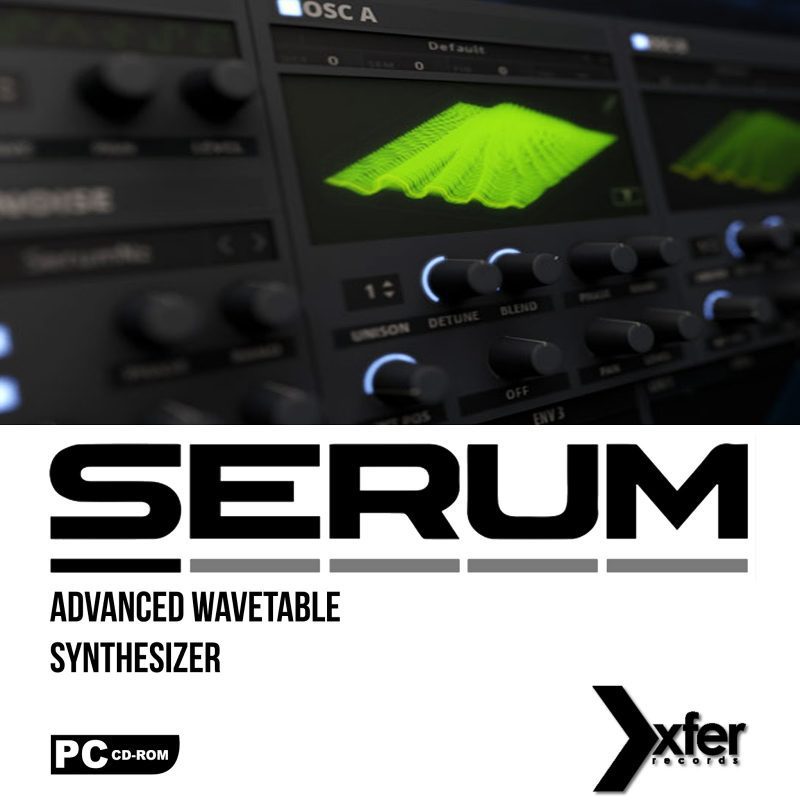
Xfer Records Serum v1.11b3 (Incl. Cymatics Kits)


About the software

The dream synthesizer did not seem to exist: a wavetable synthesizer with a truly high-quality sound, visual and creative workflow-oriented interface to make creating and altering sounds fun instead of tedious, and the ability to “go deep” when desired – to create / import / edit / morph wavetables, and manipulate these on playback in real-time.

Included Cymatics Kits:

  • Black Friday for Xfer Serum
  • Essentials for Xfer Serum
  • Jawz for Xfer Serum
  • Nightmares Vol 1 for Xfer Serum
  • Nightmares Vol 2 for Xfer Serum
  • Outbreak for Xfer Serum
  • Slugs Vol 1 for Xfer Serum
  • Vocals for Xfer Serum Vol 2
  • Year 1 Anniversary Serum Pack

Xfer Records Serum v1.11b3 (Incl. Cymatics Kits) System Requirements

  • Windos XP or later
  • VST, AU or AAX compatible host software, 64-bit only

How to Download and Install Xfer Records Serum v1.11b3 (Incl. Cymatics Kits)

  1. Click on the download button(s) below and finish downloading the required files. This might take from a few minutes to a few hours, depending on your download speed.
  2. Extract the downloaded files. If you don’t know how to extract, see this article. The password to extract will always be: www.mysoftwarefree.com
  3. Drag the folder content of “Move These” to their corresponding folders (Appdata, Documents, etc.)
  4. Add it to your DAW of Choice
  5. Go through the setup and whatnot, when asked for serial, run the amazing R2R Keygen, copy and paste the generated one in there
  6. The Cymatics presets are already inside of the Docs folder, it should appear in Serum.
  7. You now have the full version of Xfer Records Serum v1.11b3 (Incl. Cymatics Kits), without any limitations, installed on your computer.

Required files

File #1 (476.9MB)

Password: www.mysoftwarefree.com

This download is for Xfer Records Serum v1.11b3 (Incl. Cymatics Kits)


Native Instruments Guitar Rig 5 Pro v5.1.1


About the software

Guitar Rig is an amp and effects modeling software package developed by Native Instruments. Primarily designed for electric guitar and bass, the software uses amplifier modeling to allow real-time digital signal processing in both standalone and studio (VST/DXi/RTAS/AU) environments. It was originally released in mid-2004.

Changes in Guitar Rig v5.1.1:

AAX32 support.
Several bug fixes.
No more Start Menu entries on Windows systems.

We enabled all modules embedded in the application.

  1. RAMMFIRE
  2. REFLEKTOR
  3. TRAKTOR’S 12
  4. TRANSIENT MASTER
  5. SOLID MIX SERIES
  6. VINTAGE COMPRESSORS

Native Instruments Guitar Rig 5 Pro v5.1.1 System Requirements

  • Windows 7, Windows 8 or Windows 10 (latest Service Pack), Intel Core i5 or equivalent CPU, 2 GB RAM.
  • An Internet connection and a graphics card that supports OpenGL 2.1 or higher are required to download and activate this product. Once installed and activated, the product can be used offline.
  • Supported interfaces: Windows (64-bit only): Stand-alone, VST, AAX

How to Download and Install Native Instruments Guitar Rig 5 Pro v5.1.1

  1. Click on the download button(s) below and finish downloading the required files. This might take from a few minutes to a few hours, depending on your download speed.
  2. Extract the downloaded files. If you don’t know how to extract, see this article. The password to extract will always be: www.mysoftwarefree.com
  3. Mount the bin file – if you don’t know how to mount files, read this tutorial.
  4. Install Guitar Rig 5.
  5. You now have the full version of Native Instruments Guitar Rig 5 Pro v5.1.1, without any limitations, installed on your computer.

Required files

File #1 (596.1MB)

Password: www.mysoftwarefree.com

This download is for Native Instruments Guitar Rig 5 Pro v5.1.1

Auto-Tune Evo VST v6.0.9


About the software

Hailed as a “holy grail of recording,” by Recording magazine (and adopted worldwide as the largest-selling audio plug-in of all time), Auto-Tune corrects intonation problems in vocals or solo instruments, in real time, without distortion or artifacts, while preserving all of the expressive nuance of the original performance – with audio quality so pristine that the only difference between what goes in and what comes out is the intonation. All with a user-interface that is a model of clarity, speed and ease-of-use.

Auto-Tune Evo VST v6.0.9 System Requirements

  • Windows 7, 8, 8.1, 10

How to Download and Install Auto-Tune Evo VST v6.0.9

  1. Click on the download button(s) below and finish downloading the required files. This might take from a few minutes to a few hours, depending on your download speed.
  2. Extract the downloaded files. If you don’t know how to extract, see this article. The password to extract will always be: www.mysoftwarefree.com
  3. Run Setup.exe and install the software
  4. You now have the full version of Auto-Tune Evo VST v6.0.9, without any limitations, installed on your computer.
  5. Note: In case the Plugins don’t show up in your VSTPlugins list, Google for Microsoft’s free Visual C++ Runtimes: vcredist 2005 sp1 and vcredist 2008 sp1. Install these runtimes, reboot and rescan your plugins.

Required files

File #1 (4.7MB)

Password: www.mysoftwarefree.com

This download is for Auto-Tune Evo VST v6.0.9

ReFX Nexus v2.2


About the software

NEXUS2 is a next generation ROM synthesizer of the highest quality that can turn your musical dreams into a stunning reality. Forget about stereotypical, boring, stale, old sounding ROM synths and embrace the power of NEXUS2 to evolve your productions to a new level of greatness. You can find here a lot of expansions and presets for NEXUS. NEXUS2 explores new sonic territory delivering complex, ultra-fat, contemporary soundstorms that sound as good as the most expensive and best hardware available today. A powerful and flexible architecture is the foundation that supports the immediately useful and spontaneously engaging design of the instrument. Every aspect of NEXUS2 was built to produce music of the highest quality, quickly, with the least amount of fuss. NEXUS2 features a world-class 32 step arpegiator with note-transposition, an agile and simple 32 step trance gate, industry leading reverb licensed from Arts Acoustic, and a sophisticated modulation-matrix that will help you sculpt the sound.

The Arpeggiator

You know it, and so do we: Dance music would not exist without those magical arpeggios that bounce around in your head weeks after you heard “that track” at the club. So we didn’t skimp on NEXUS 2’s redesigned Arpeggiator. A 32-step sequencer, note and octave transposition, and adjustable loop start position are just a few of the controls you’ll want to go deep with as you build up your tracks. Apply some of the dedicated Arpeggiator presets to NEXUS 2 sounds to create a raging, punishing barrage of sound, or an uplifting, magnetic melody. If you hear it in your head, NEXUS 2’s Arpeggiator can do it.

The TranceGate

Add hypnotic, goosebump-inducing rhythmic effects to your sound with NEXUS 2’s redesigned TranceGate. Work with the intuitive, freely adjustable 32-step sequencer to nail the exact rhythm you hear in your head. Use the tempo-synced delay and fade-in controls to add spaced-out delays and subtle, gradual floods of sound. Change the loop start position, and pan gated sounds between right and left channels to create an enveloping stereo image. Or turn to the store of dedicated TranceGate presets, which allow you to convert any NEXUS 2 sound into a pulsating wave of sonic bliss.

The Mixer/FX

As with all other parts of NEXUS 2, we’ve made the fusion of power and simplicity the basis of the Mixer/FX section. You want an intuitive, flexible, and above all, premium-grade set of tools when it’s time to add finishing touches to your NEXUS 2 sounds. Dedicated FX presets help you add gloss and sheen in just the right places. A reverb and analog phaser from Arts Acoustic, a stereo enhancer, and two FX slots are just three ways we’ve sweetened the deal in the NEXUS 2’s Mixer/FX section.

The Modulation

NEXUS 2 provides nearly endless modulation possibilities; whether you want to use “traditional” LFO pitch modulation or go completely out there and tweak phaser feedback, for example. Let your imagination run wild: Just choose your source and your destination and let NEXUS 2 make it happen.

ReFX Nexus v2.2 System Requirements

  • VST or RTAS host software
  • Pentium class 1.5 GHz processor with SSE2 support*
  • 2GB of RAM (4GB or more highly recommended)
  • Display with 1024-by-768 or higher resolution
  • Windows XP SP3, Windows Vista, Windows 7, Windows 8
  • DVD drive for installation

Available disk space

  • 4GB to install the plugin and factory content
  • Approx. 1GB per installed expansion
  • Approx. 40GB to install all expansions

Compatible host software

  • Ableton Live
  • Logic 6 or later
  • Garageband 4 or later
  • Sonar 6 or later
  • Reaper 2 or later
  • Pro Tools 7.3 or later
  • FL Studio 3.1 or later
  • Tracktion
  • Digital Performer 4.1 or later
  • Renoise 2 or later
  • ACID Pro 6 or later
  • Cubase SX1 or later
  • Nuendo 1.0 or later
  • Orion 5 or later
  • NI Maschine 1.6 or later
  • Studio One

How to Download and Install ReFX Nexus v2.2

  1. Click on the download button(s) below and finish downloading the required files. This might take from a few minutes to a few hours, depending on your download speed.
  2. Extract the downloaded files. If you don’t know how to extract, see this article. The password to extract will always be: www.mysoftwarefree.com
  3. Install Nexus 2 Setup.exe
  4. Copy “Nexus Content” folder to the location of your choice (normally same folder as Nexus.dll)
  5. Load plugin and it will auto-scan your harddisk(s) for the content folder
  6. You now have the full version of ReFX Nexus v2.2, without any limitations, installed on your computer.

Required files

File #1 (3.18GB)

Password: www.mysoftwarefree.com

This download is for ReFX Nexus v2.2

iZotope Ozone 9 Advanced (Win)

  Ozone 9 iZotope 9.0.3 Advanced 64-bit Format: VST, VST3, AAX and Standalone Win 7, 8 and 10 Direct Download (340 MB)